
The FloWrestling Broadcaster app has launched to make it easier to stream your season duals. Instead of needing a kit full of video equipment, you can stream from an iPhone or iPad.
First, download the Broadcaster app from the Apple App Store.
Once you have your Trackwrestling season login email, log in and add your home events to your schedule. Approve any pending events that you have been invited to.
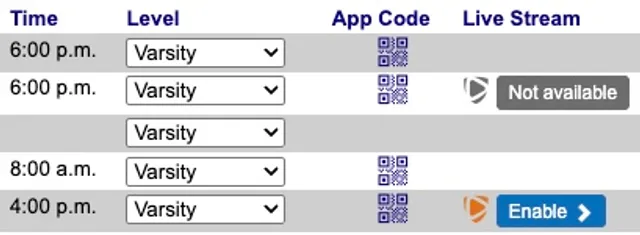
You will see new columns for App Code and Live Stream on your schedule page. You will only see the Live Stream option for the dual(s) you are hosting. The Live Stream column will say Not available instead of Enable once the event date has passed.
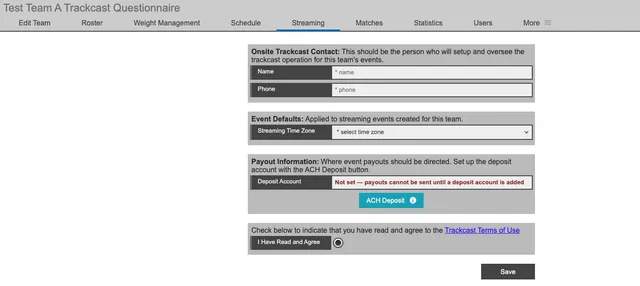
In the grey menu bar of your season team account, click Streaming to enter your onsite streaming contact, time zone, bank account information for revenue deposits, and acknowledgement of the Terms of Use. You will enter this once per season, not per event.
On your Schedule page, click Enable for any duals that you wish to stream. If you already completed the streaming questionnaire from the previous step, you will see that information and be alerted to any missing information.
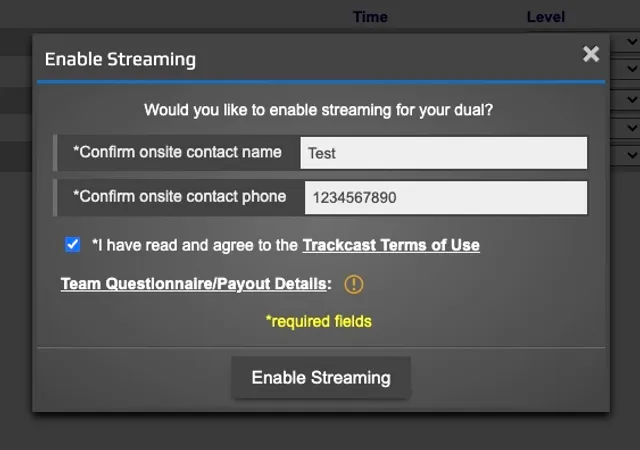
Your dual meet video stream will be automatically added within about five minutes.
To sign in to a specific event in the Broadcaster app, click the QR code in the App Code column of your season schedule page.
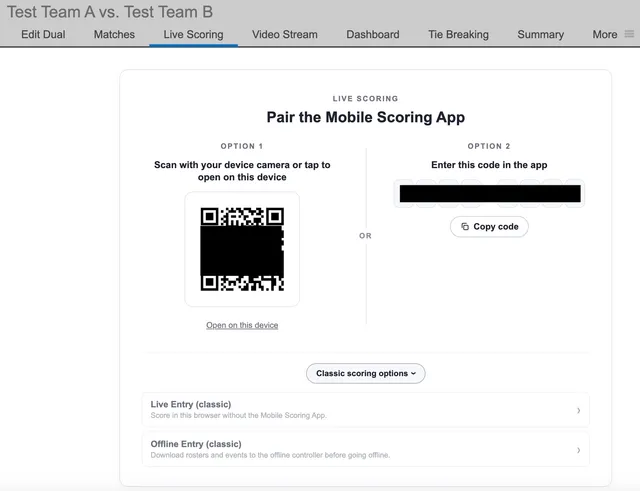
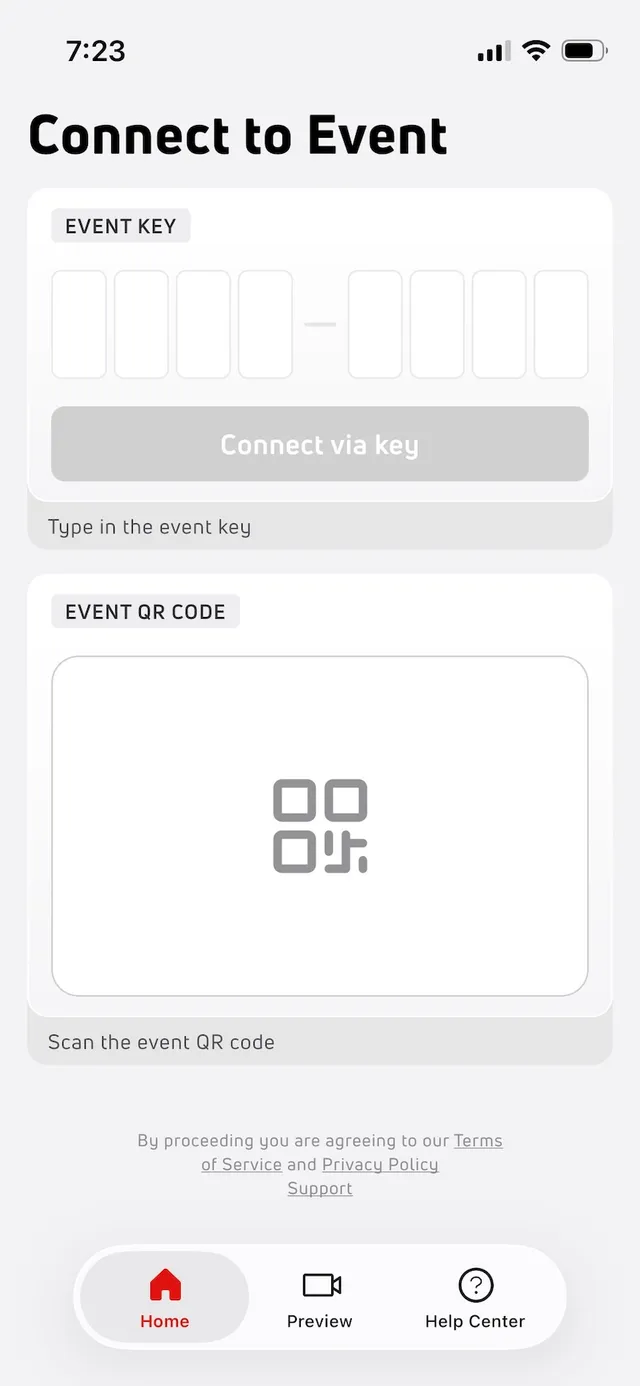
Open the Broadcaster app on your device and connect to your event via one of the codes in the pop-up window from your schedule page. The app will check your connection and then take you to your Events landing page. To score a different event, tap the Change Event button and enter a different code.
You're ready to preview your stream!