
The Scorekeeper app allows event staff to manage matside scoring, control physical or virtual clocks, and sync real-time match data. Use this guide to configure your app Settings before your event starts.
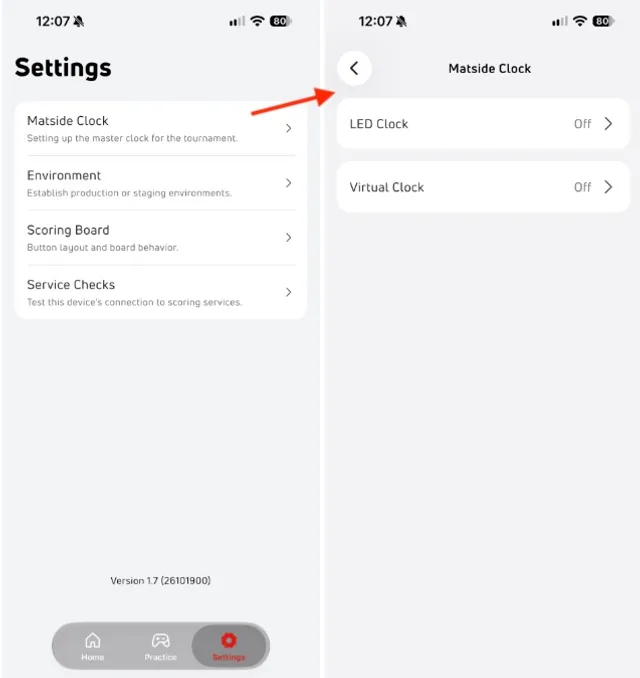
⚙️ Settings & Configuration
Matside Clocks
1. Trackwrestling Score Clocks
Connect your physical Trackwrestling score clock directly to your device using an Ethernet adapter.
- Connecting your clock:
- Plug your Ethernet adapter into your scoring device and connect the clock crossover cable.
- Enable the clock in the Settings page of the app.
- Tap Use Default in the app to automatically populate the standard clock IP address.
- Tap Test. If successful, a green Connected indicator will appear.
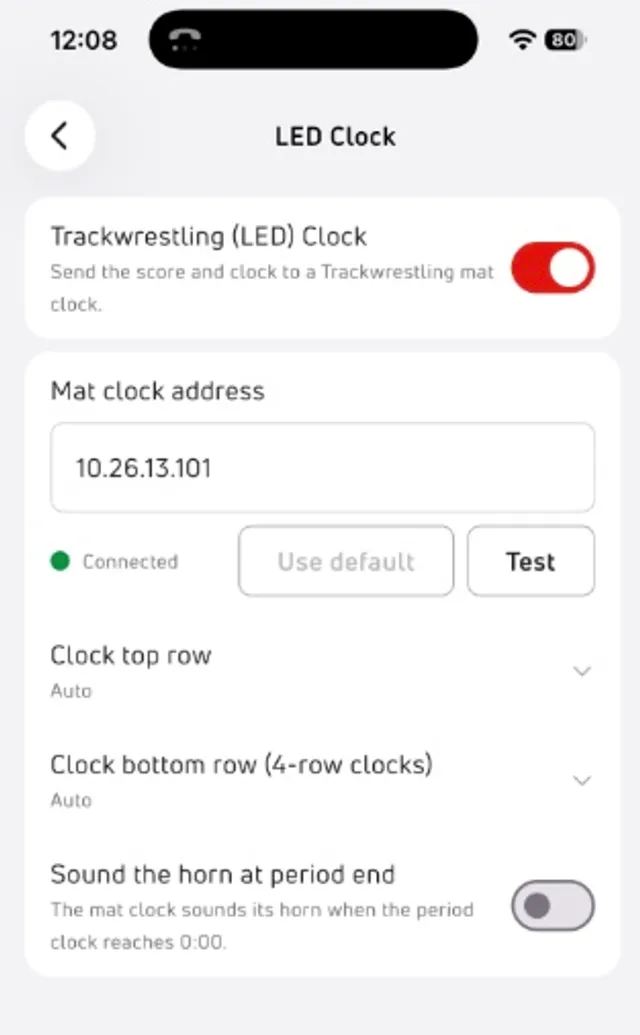
- Display customization:
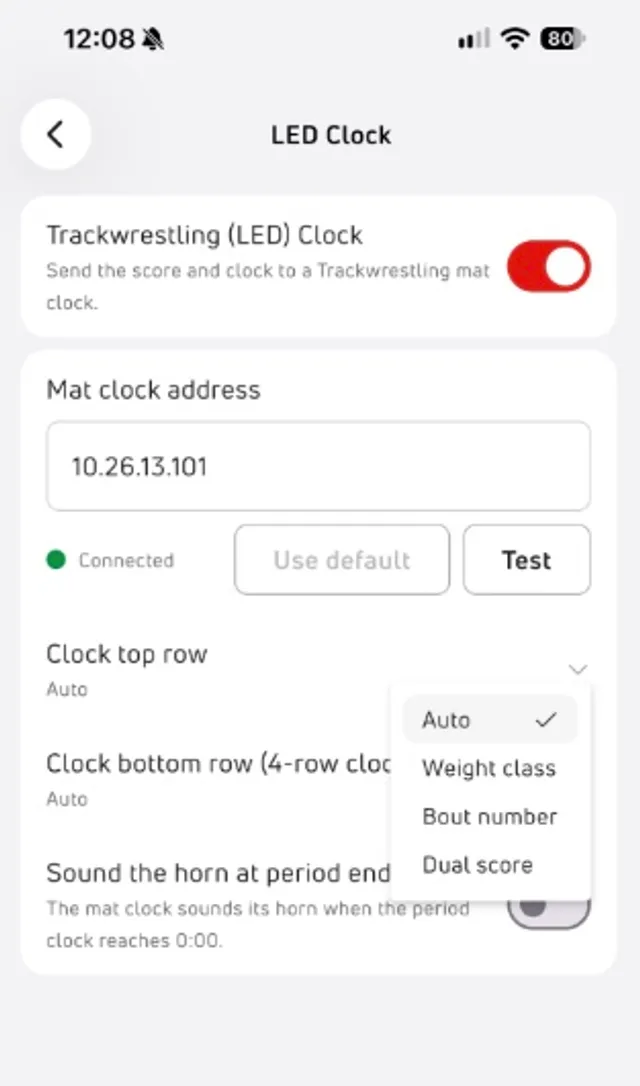
- Top Row: Force display to show Weight Class, Bout Number, or Dual Score.
- Bottom Row (4-Row Clocks): Choose between Weight Class, Bout Number, Dual Score, or Riding/Activity Time.
💡 Hardware Tip: Some third-party Ethernet adapters (particularly lower-cost adapters) are incompatible with LED clock hardware despite claiming compatibility. If your device fails to connect, try testing with a different brand adapter.
2. Virtual Clock (HDMI Output)
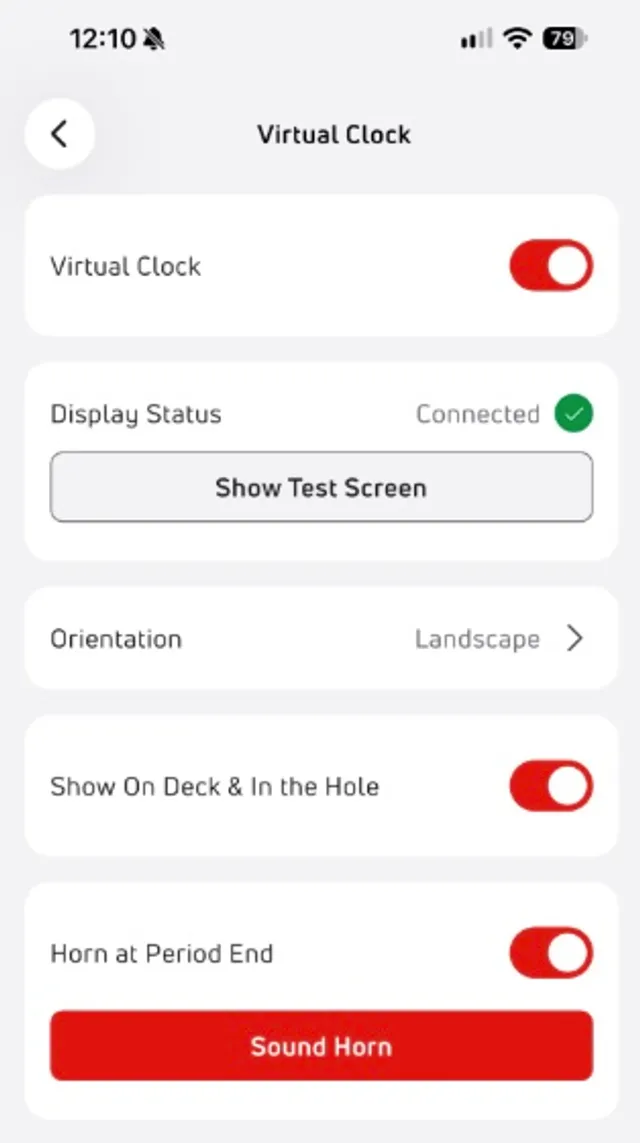
You can output a digital scoreboard to any TV or external monitor for spectators, coaches, and wrestlers.
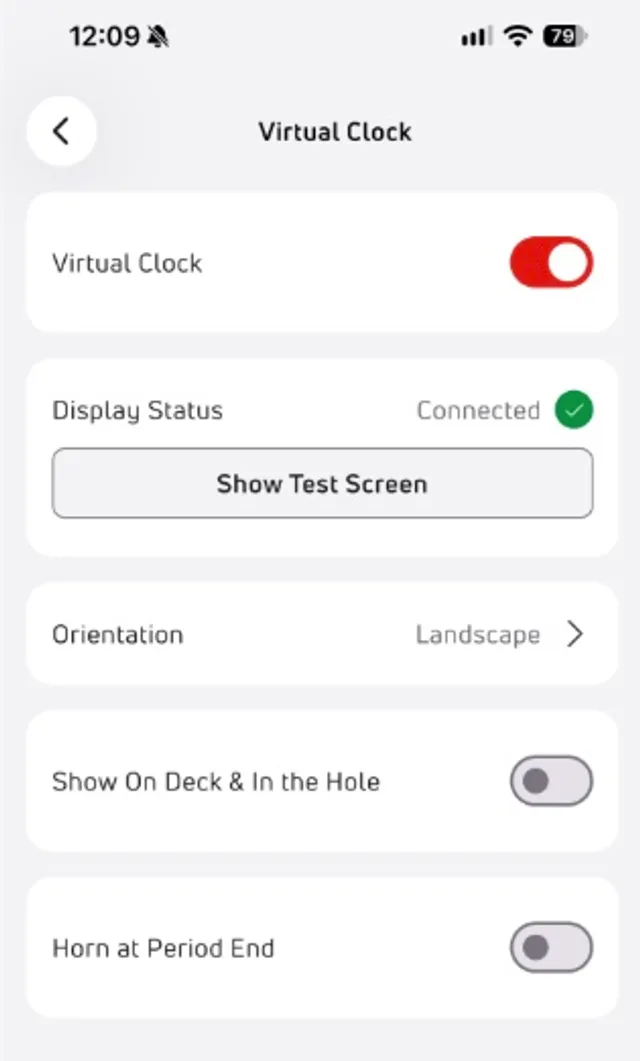
- Connecting an external monitor: Plug your TV or monitor into your device using an HDMI adapter.
- Set up the app: Enable the display in the Settings page of the app.
- Screen Rotation: If your venue TVs are mounted in Portrait orientation, adjust the rotation setting (Rotate Left or Rotate Right) to align the display.
- Upcoming Matches List: Enable this option to display on deck and in the hole mat assignments at the bottom of the screen for coaches and athletes.
🌐 IT Network Whitelist Requirements
If setting up on a restricted school or facility network, provide this list of required domains to the IT Administrator:
- *.trackwrestling.com
- *.flowrestling.org
- *.flosports.tv
- *.firebaseapp.com
- *.flokubernetes.com